/ Back to blog

Draggable Bento Interactive Bento Grid Component for Framer

A draggable bento-grid layout component for Framer. Visitors rearrange tiles with smooth physics. Drop-in, no code, for product and portfolio sites.

Category:

Framer

Author:

Umut Sevinc

Time:

2 mins

Date:
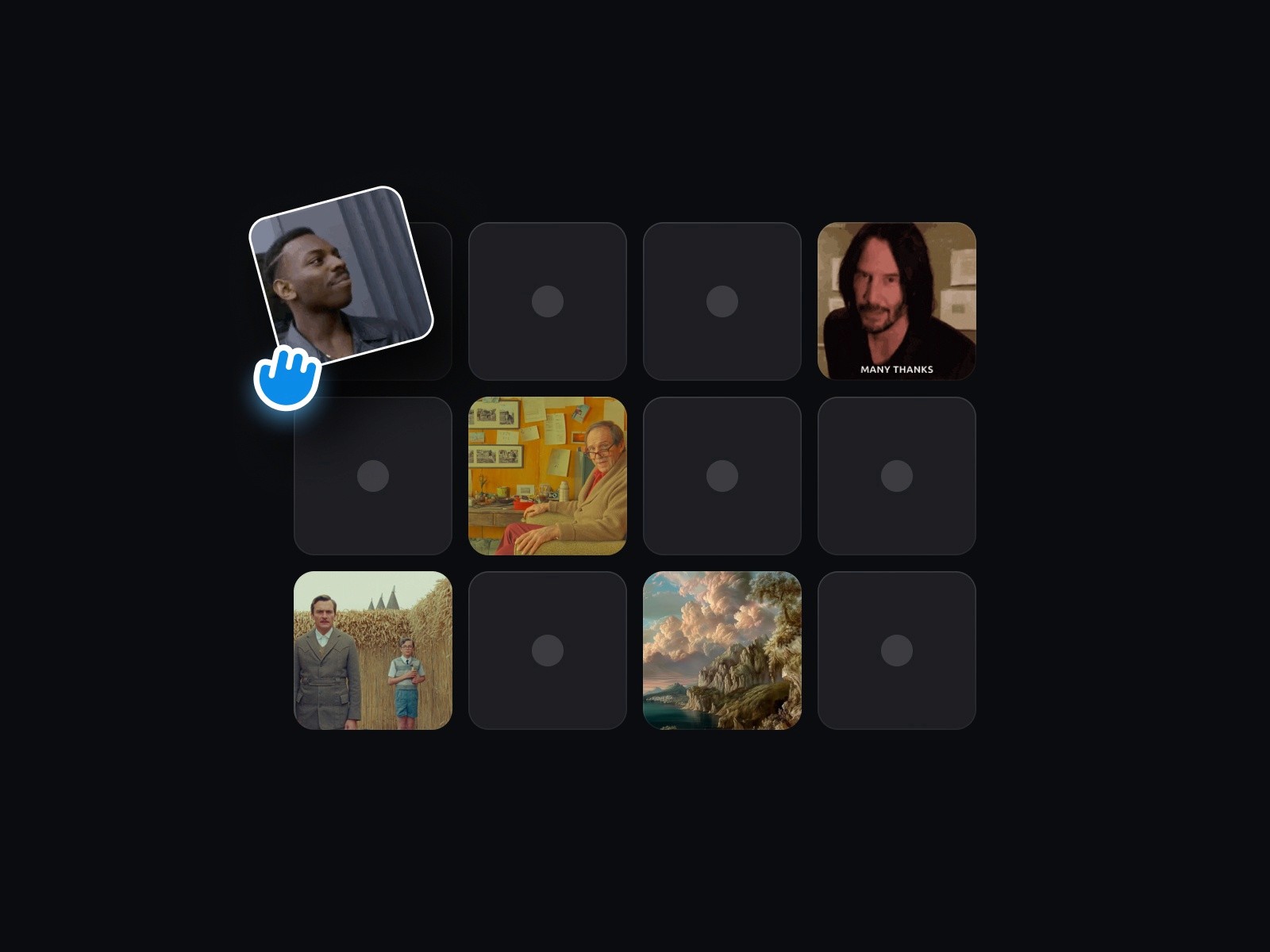
A premium layout component for Framer. Bento tiles your visitors can drag, throw, and rearrange — with smooth physics, snap behaviour, and a clean reset state.
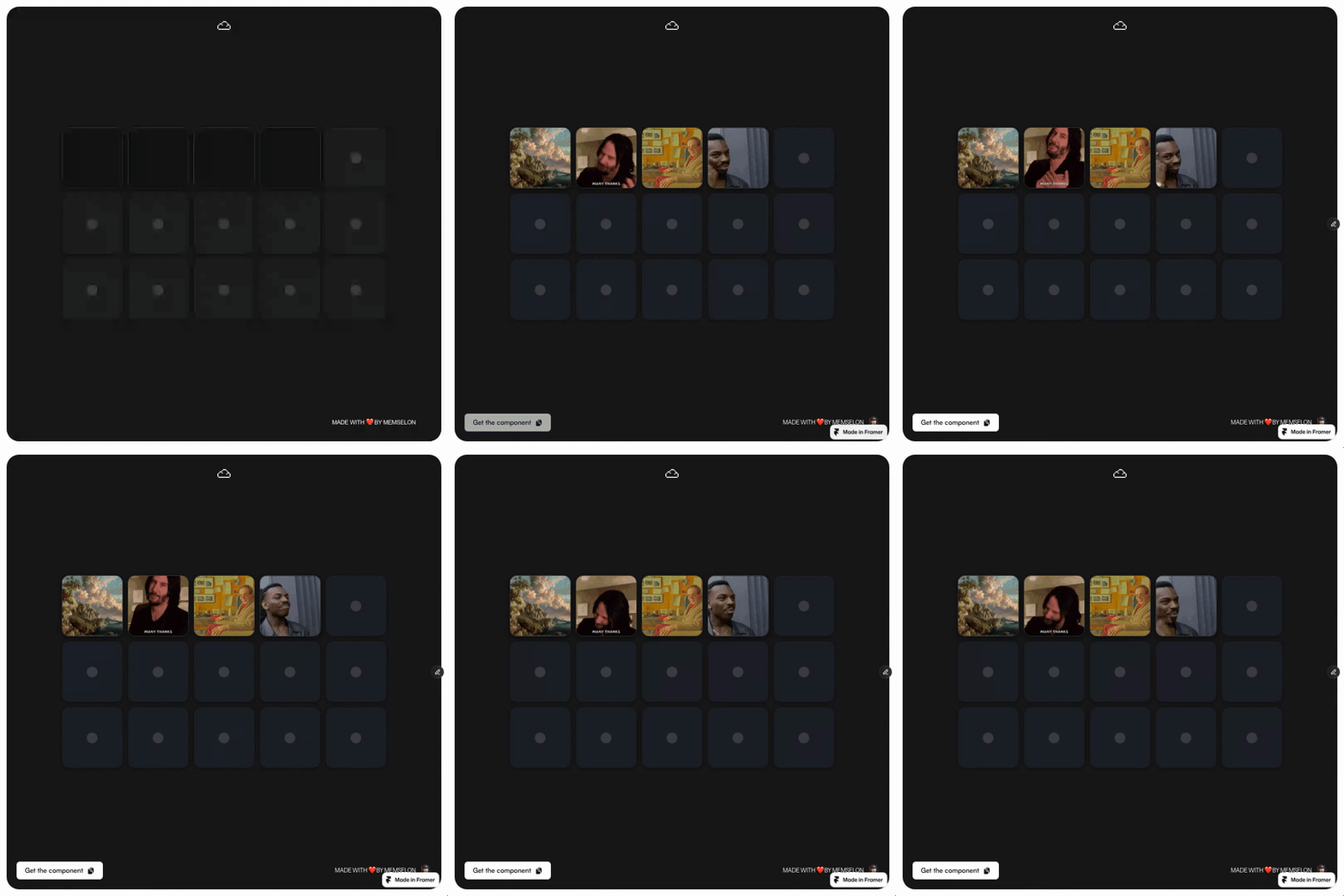

Draggable Bento demo

TL;DR

  • Bento grid with draggable, physics-driven tiles.

  • Configurable snap, damping, and reset behaviour.

  • Best for product overviews, "how it works" sections, and playful about pages.

What Draggable Bento Does

A bento grid is a layout of differently sized tiles. Draggable Bento makes those tiles interactive: each tile can be picked up, dragged, and released, with velocity-based motion and a snap-back to the grid. Visitors can toss a tile across the section and watch it return to its slot, or shuffle the grid into a new arrangement.

You pass content into each tile slot — a heading, an icon, an image, a small video — and the layout handles the dragging, the physics, and the reset.

Why Use It

The bento grid is the most overused layout pattern of the last two years. Making it interactive turns the cliché into a small product demo. For SaaS sites the value is direct: instead of telling visitors "you have control over your space", you let them feel it on the marketing page itself.

Features

  • Drag-and-drop interaction on every tile.

  • Physics-based motion with adjustable damping and stiffness.

  • Snap-back-to-grid or free-position modes.

  • Per-tile slot props for content.

  • Configurable tile sizes (1x1, 2x1, 2x2, etc.).

  • Reset action — return to the original layout on demand.

  • Responsive — grid restructures for narrower viewports.

  • Touch support with momentum.

How to Install in Framer

  1. Open the Draggable Bento marketplace listing.

  2. Click Insert to add the component to your Framer project.

  3. Drop the component onto the canvas at the section width you want.

  4. Configure the number of tiles and their sizes.

  5. Fill each tile slot with your content.

Ship It

Install Draggable Bento from the Framer Marketplace.

Back to the full kit: Best Framer Components 2026 →

FAQ

Will the dragging interfere with page scroll on mobile?
The component differentiates between vertical scroll gestures and tile-drag gestures, so page scrolling stays smooth.
Can I bind the tiles to a Framer CMS collection?
Yes. Bind your CMS items to the tile slots, and each entry becomes a draggable tile.
Is there an option to lock the layout for visitors who just want to read?
Yes. The component exposes a disabled / view-only state you can toggle through a prop or another control.
Will the dragging interfere with page scroll on mobile?
The component differentiates between vertical scroll gestures and tile-drag gestures, so page scrolling stays smooth.
Can I bind the tiles to a Framer CMS collection?
Yes. Bind your CMS items to the tile slots, and each entry becomes a draggable tile.
Is there an option to lock the layout for visitors who just want to read?
Yes. The component exposes a disabled / view-only state you can toggle through a prop or another control.
Umut Sevinc - The Landing

par Umut Sevinc

par Umut Sevinc

Read Next
Popular
Keep Learning
Read Next
Keep Learning

Similar articles

Similar articles

Similar articles

Get notified

Get notified

Stay updated with the newest components, plugins, templates and upcoming releases.

No spam. Unsubscribe anytime.

Get notified

Stay updated with the newest components, plugins, templates and upcoming releases.

No spam. Unsubscribe anytime.

Ange - Memselon
Ange - Memselon
Ange - Memselon
Need Help?
Q&A
Find your answer
Need Help?
Find your answer

FAQ.

Clarifying process, timelines, and tools — so every collaboration with Memselon starts with trust, clarity, and precision.

01

What is Memselon?

02

What services do you offer?

03

How do projects usually start?

04

Do you offer ongoing or subscription-based design?

05

Why work with Memselon instead of an agency or freelancer?

06

What tools and technologies do you use?

01

What is Memselon?

02

What services do you offer?

03

How do projects usually start?

04

Do you offer ongoing or subscription-based design?

05

Why work with Memselon instead of an agency or freelancer?

06

What tools and technologies do you use?

What is Memselon?

What services do you offer?

How do projects usually start?

Do you offer ongoing or subscription-based design?

Why work with Memselon instead of an agency or freelancer?

What tools and technologies do you use?